
How to Track Food Waste in Your Kitchen and What It Costs
Log what is thrown away and why in a few seconds, see what it costs by day, by reason and by item, and track buffet leftovers — step by step.

Every kitchen throws food away: trim, a tray that was over-produced, a delivery that arrived soft, plates that come back half full. Most kitchens only see it as a feeling — "we waste a lot" — because nobody writes it down, and nobody knows what it costs.
The waste log in AKROUN FOOD AI makes it a number. Logging takes a few seconds, the app works out the cost from your own prices and recipes, and a report shows where the money goes.
The waste log is part of the Chef Pro plan. You find it in the menu under Track → Waste Log.
Why it is worth logging waste
| What you see | What you can do with it |
|---|---|
| The cost per day | Spot the bad days and what happened on them. |
| The biggest reasons | Prep trim, over-production and spoilage each have a different fix: a better cut, smaller batches, tighter ordering. |
| The items that cost the most | Order less of them, store them better, or use them up in a special. |
| Waste as a share of sales | One number to follow week after week. |
Step by step
1. Log what was thrown away
Open Waste Log. On Log waste, choose what it was:
- Inventory item — something from your stock. The cost comes from its price in Inventory.
- Dish (portions) — one of your recipes, in portions. The cost per portion comes from the recipe.
- Something else — anything that is not in your stock or recipes, with an optional cost per unit.
Under What was thrown away? start typing and pick it from the list. Enter the Amount and the unit, the date, and tap the reason under Why? — for example Spoiled, Past use-by date, Prep trim or Made too much. Add a note if it helps ("Delivered soft — reported to supplier"). The cost appears as you type. Press Log waste.
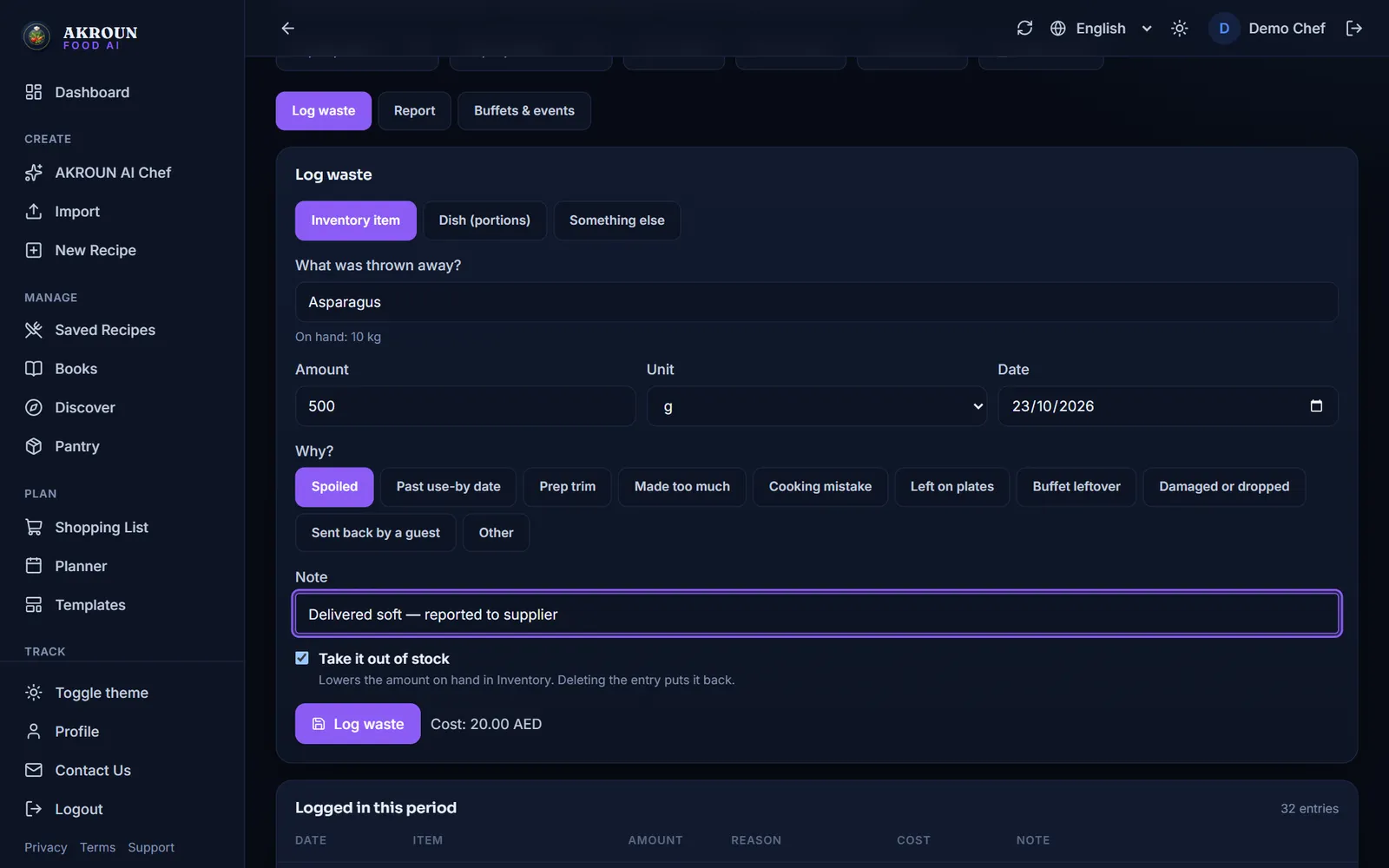
Tick Take it out of stock if the waste should also lower the amount on hand in Inventory. If you delete the entry later, the stock is put back.
2. Log it on your phone
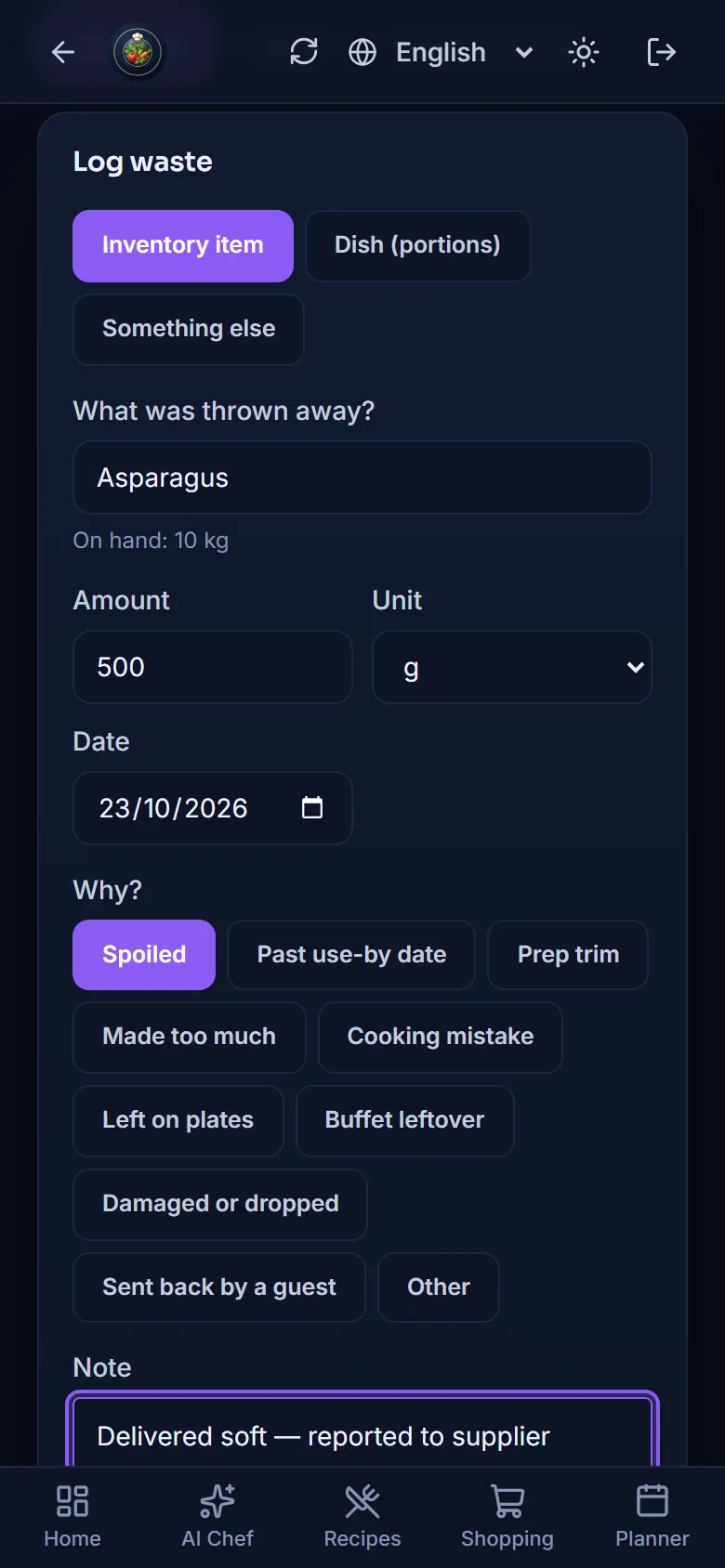
The same screen works on a phone, so the person who throws something away can log it right there, in the kitchen.
3. Check and correct the list
Everything logged in the period is listed under the form: date, item, amount, reason, cost and note. Use the pencil to change the date, the reason, the note or the amount, and the bin to delete an entry. An entry marked Taken from stock keeps its amount: delete it (the stock is put back) and log it again.
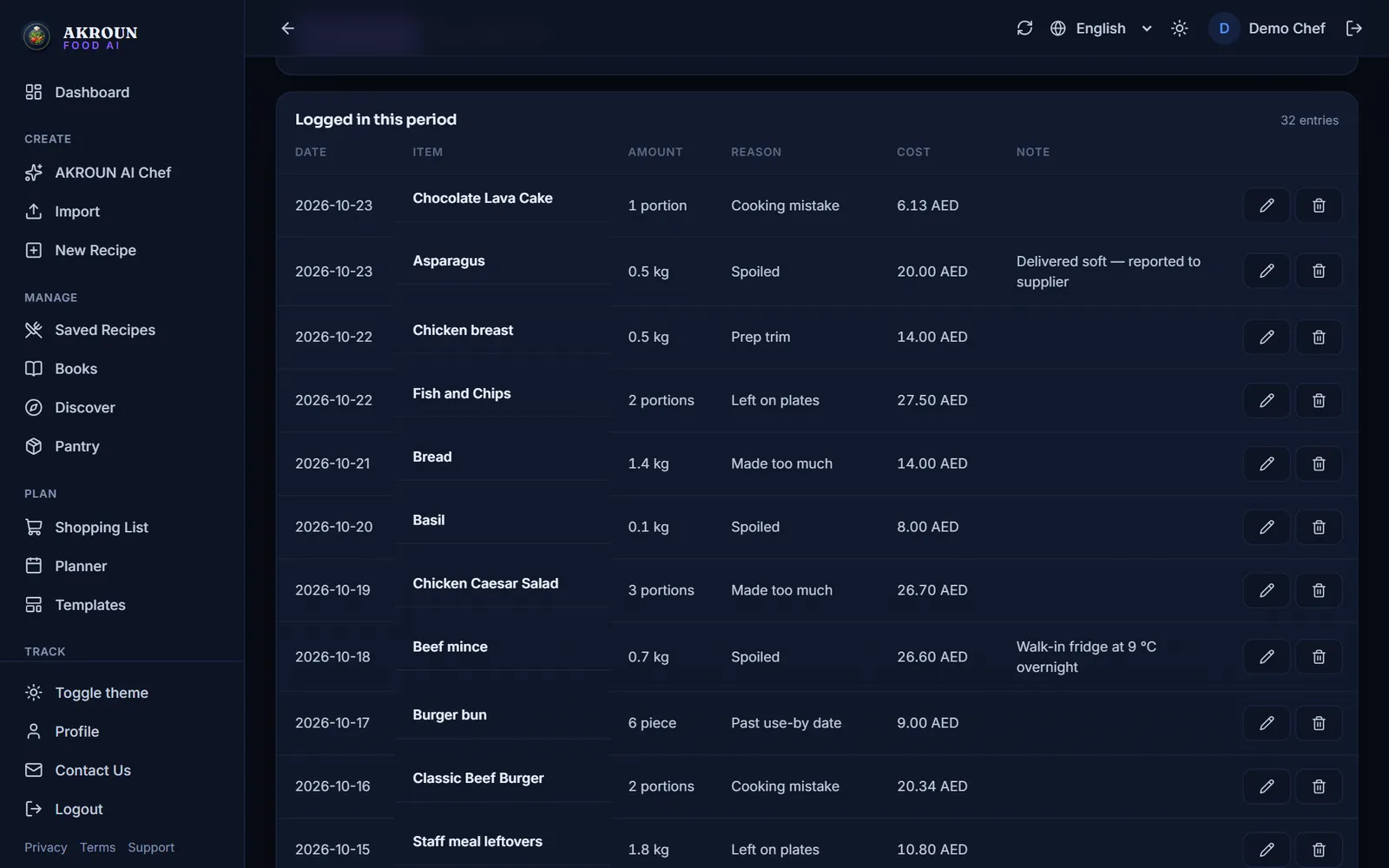
A cost is fixed when you log it, so a price change next week never rewrites this week's waste. When a cost cannot be worked out — an item without a price in Inventory, or a recipe with ingredients not yet priced — the entry says Cost unknown, never 0. Add the price in Inventory and the next entries are costed.
4. Read the report
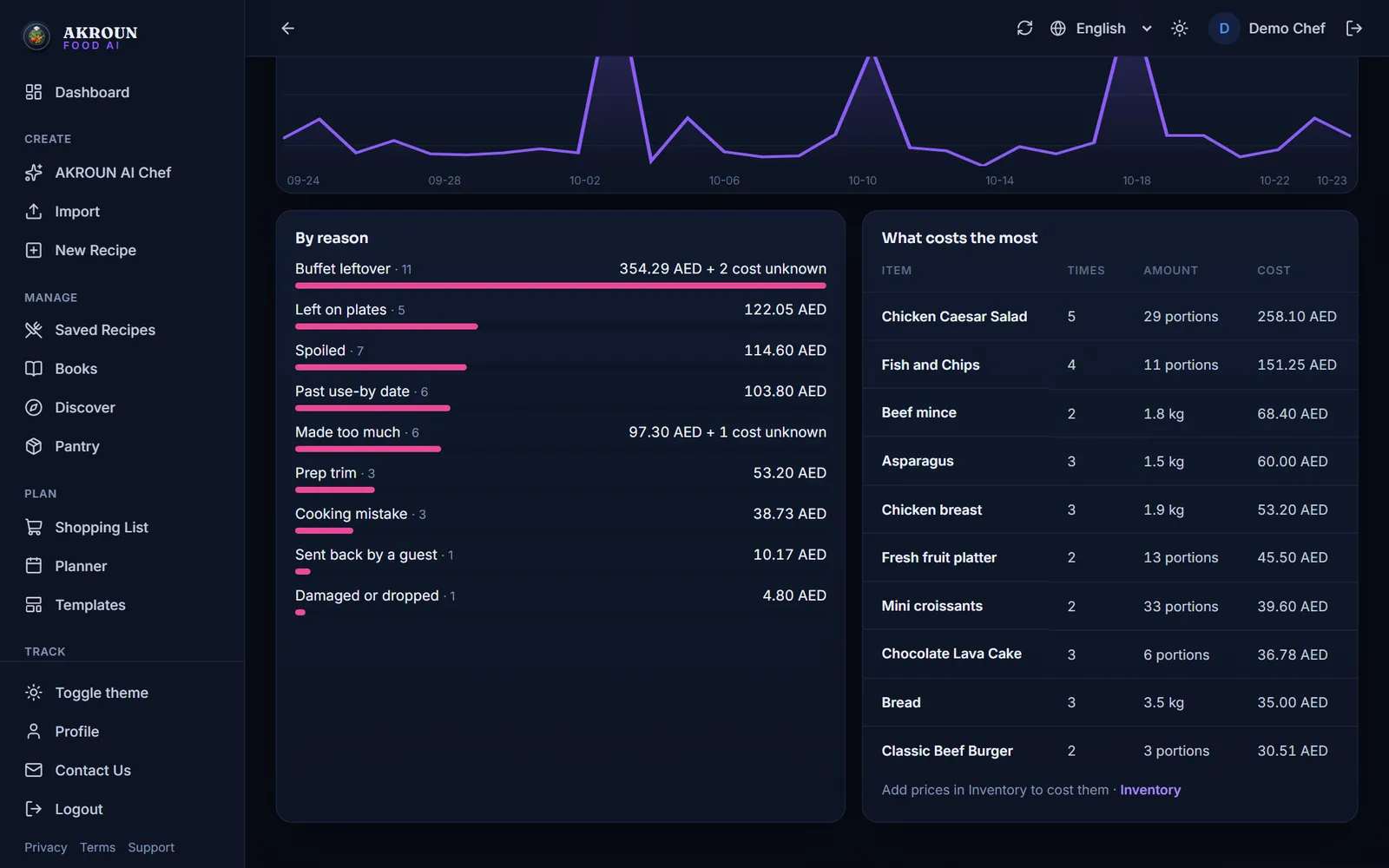
Open Report. Choose the period at the top (Last 7 days, Last 30 days, Last 90 days or your own dates). You see the waste cost, Waste vs sales (when you enter your sales in Daily P&L), the biggest reason and how many entries have an unknown cost, with the cost of waste per day.
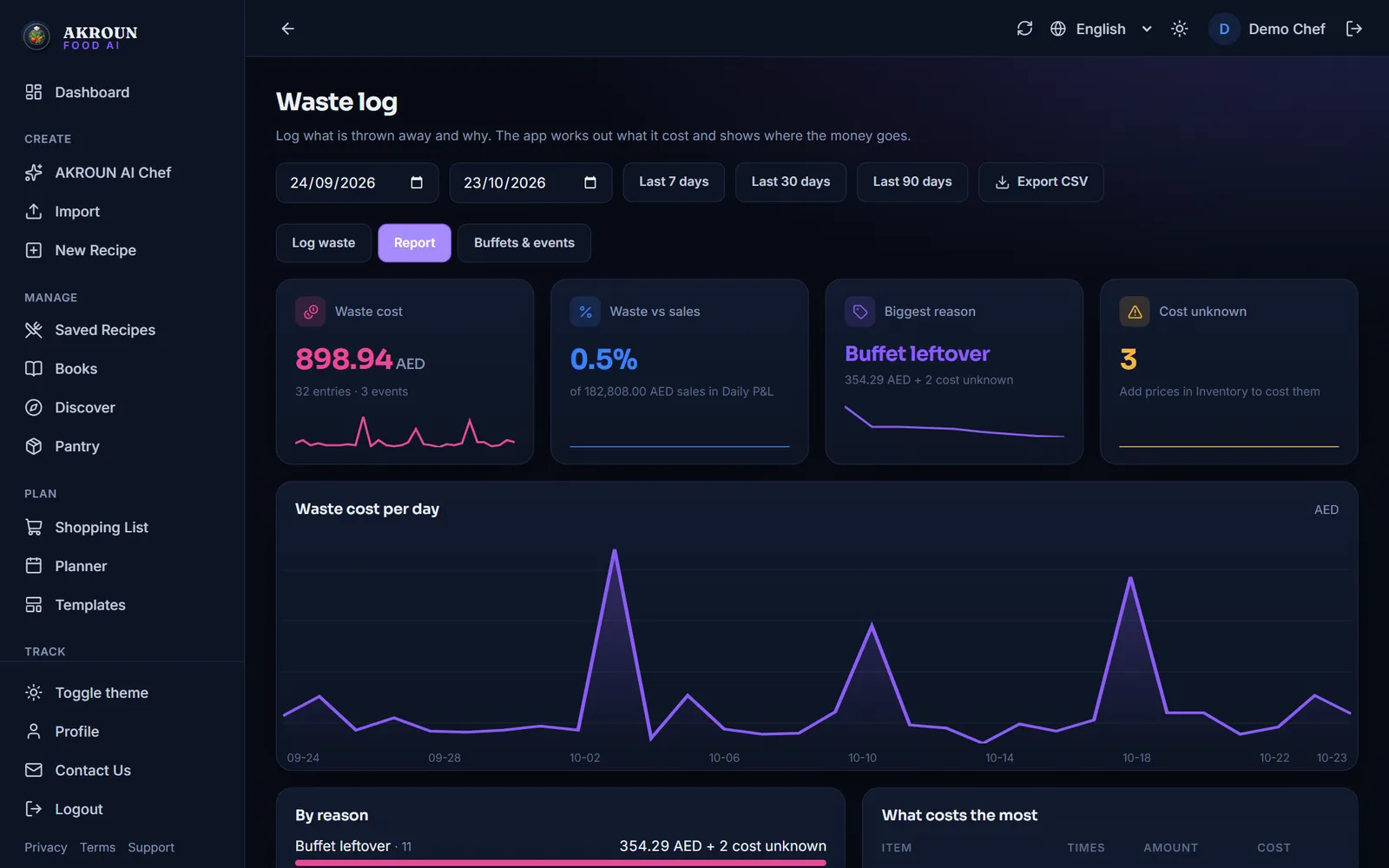
Below, By reason shows where the money goes, and What costs the most lists the items to work on first. Export CSV gives you everything in a spreadsheet.
5. Track buffets and events
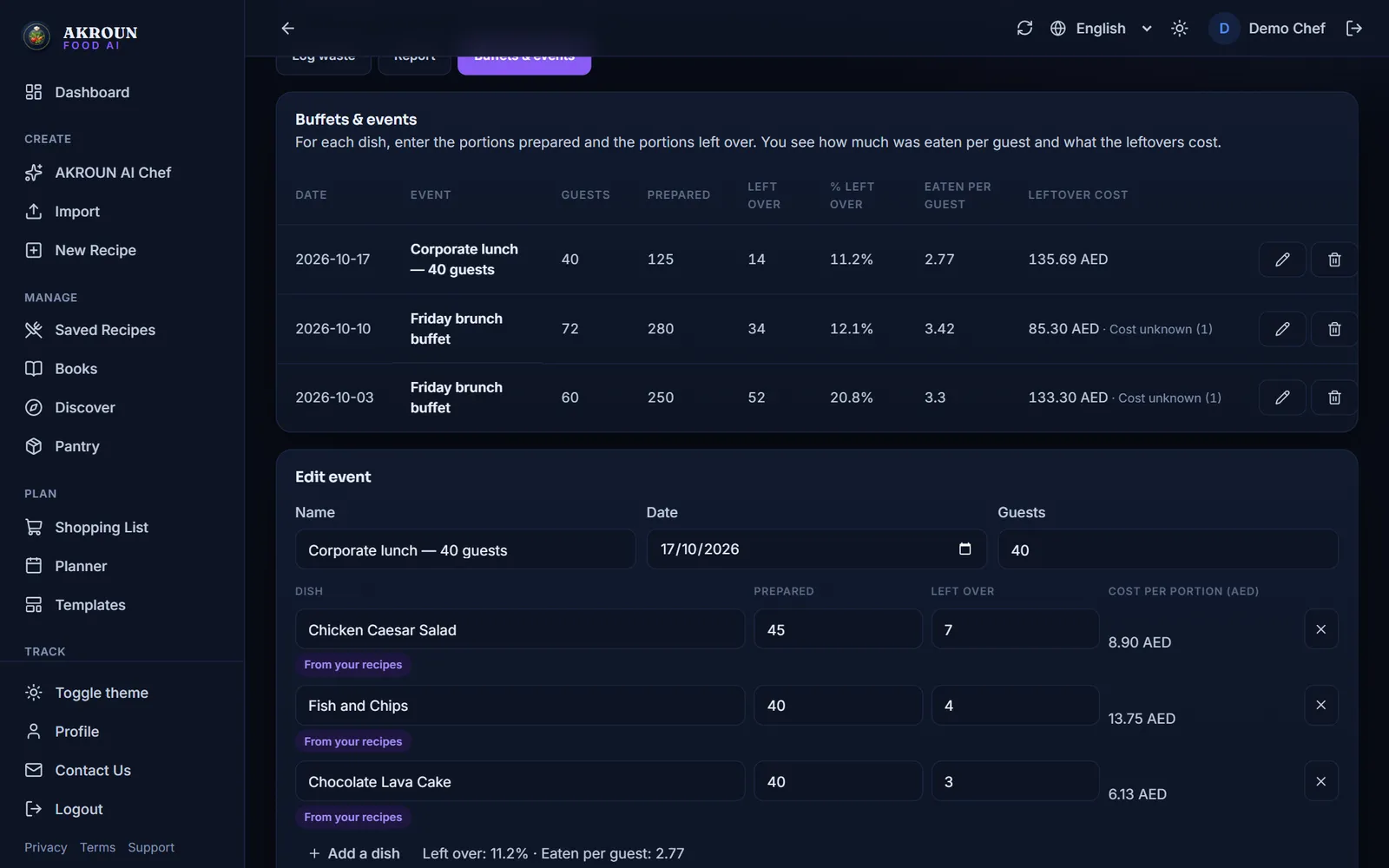
On Buffets & events, press New buffet or event. Give it a name, the date and the number of guests, then add each dish: pick one of your recipes or type a dish, and enter the portions Prepared and the portions Left over. For a typed dish you can add its cost per portion; for a recipe the app takes it from the recipe. Press Save event.
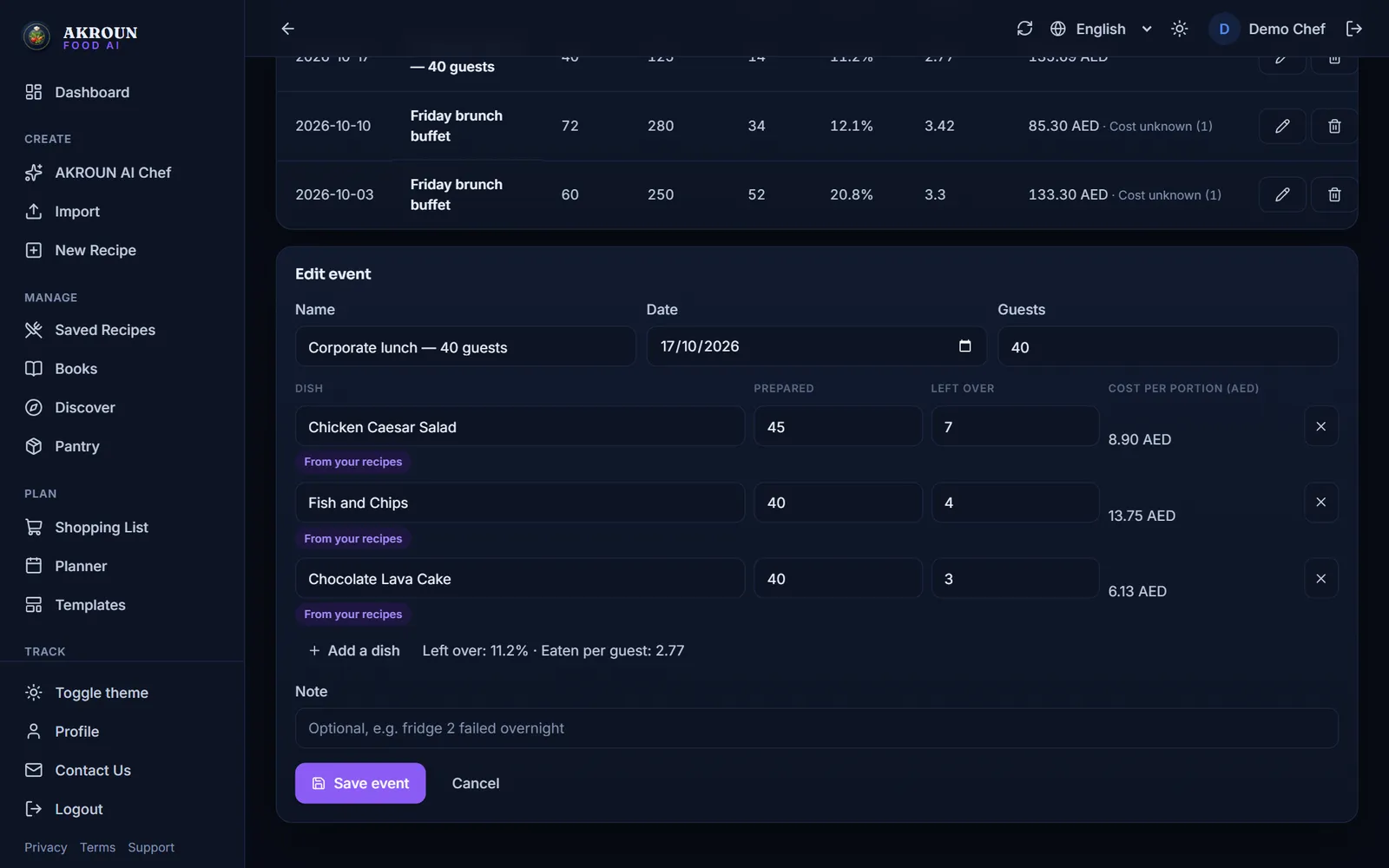
Each event shows the share left over, how much each guest ate and what the leftovers cost — the numbers to plan the next buffet with.
6. Use it in Daily P&L
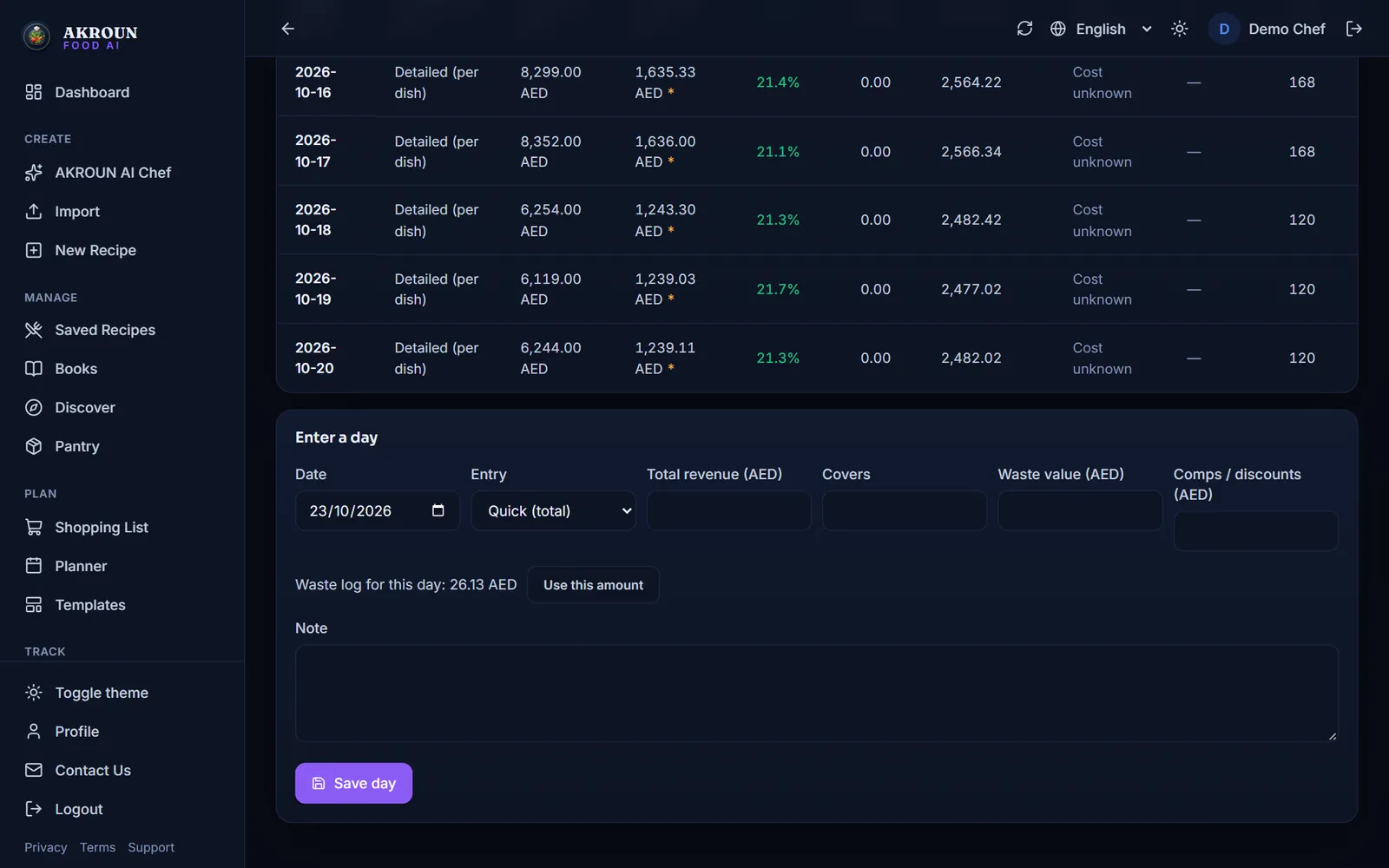
In Daily P&L, choose Quick (total) when you enter a day. If waste was logged that day, you see "Waste log for this day" with the amount. Press Use this amount to put it in the waste field — nothing is filled in until you press it.
Good habits
- Log waste when it happens, not at the end of the week.
- Use the reasons consistently: the report is only as good as the reasons.
- Look at the report once a week with your team and pick one item to fix.
- Keep the prices in Inventory up to date so fewer entries say Cost unknown.

About the author
Ali Akroun, Executive Chef & Founder
Executive Chef and founder of AKROUN FOOD AI with 18+ years in professional kitchens, hospitality consulting and culinary training.
Read the founder story →Put this into practice in minutes
Recipes, costing, labels, inventory and nutrition — generated and organised for you in AKROUN FOOD AI.
Related articles

How to Give Your Kitchen Staff Their Own Accounts and Roles
Invite up to 6 staff, give each a role — manager, chef/cook or front of house — and see who logged what. Cooks never see prices. Step by step.

How to Use the Menu Engineering Matrix: Stars, Plowhorses, Puzzles and Dogs
Find out which dishes make you money and which only keep the kitchen busy — from your real sales and food costs — and what to do with each one.

How to Scan Supplier Invoices and Update Your Food Costs Automatically
Photograph, upload or import a supplier invoice. You check every line, then prices, received stock and recipe costs update in one click — and one click undoes it.